Events
In the context of the Blackwall GateKeeper, Events are the actions, activities, or occurrences that the platform tracks and analyzes to determine whether traffic is generated by a human or a bot. Events are fundamental to Blackwall's detection capabilities, as they provide the raw data needed to make critical decisions about suspicious or malicious behavior. To access and view Events for all your listed assets in GateKeeper, perform the following tasks:
- Ensure that you are logged into your Blackwall GateKeeper account.
- From the main navigation menu bar, select Events.
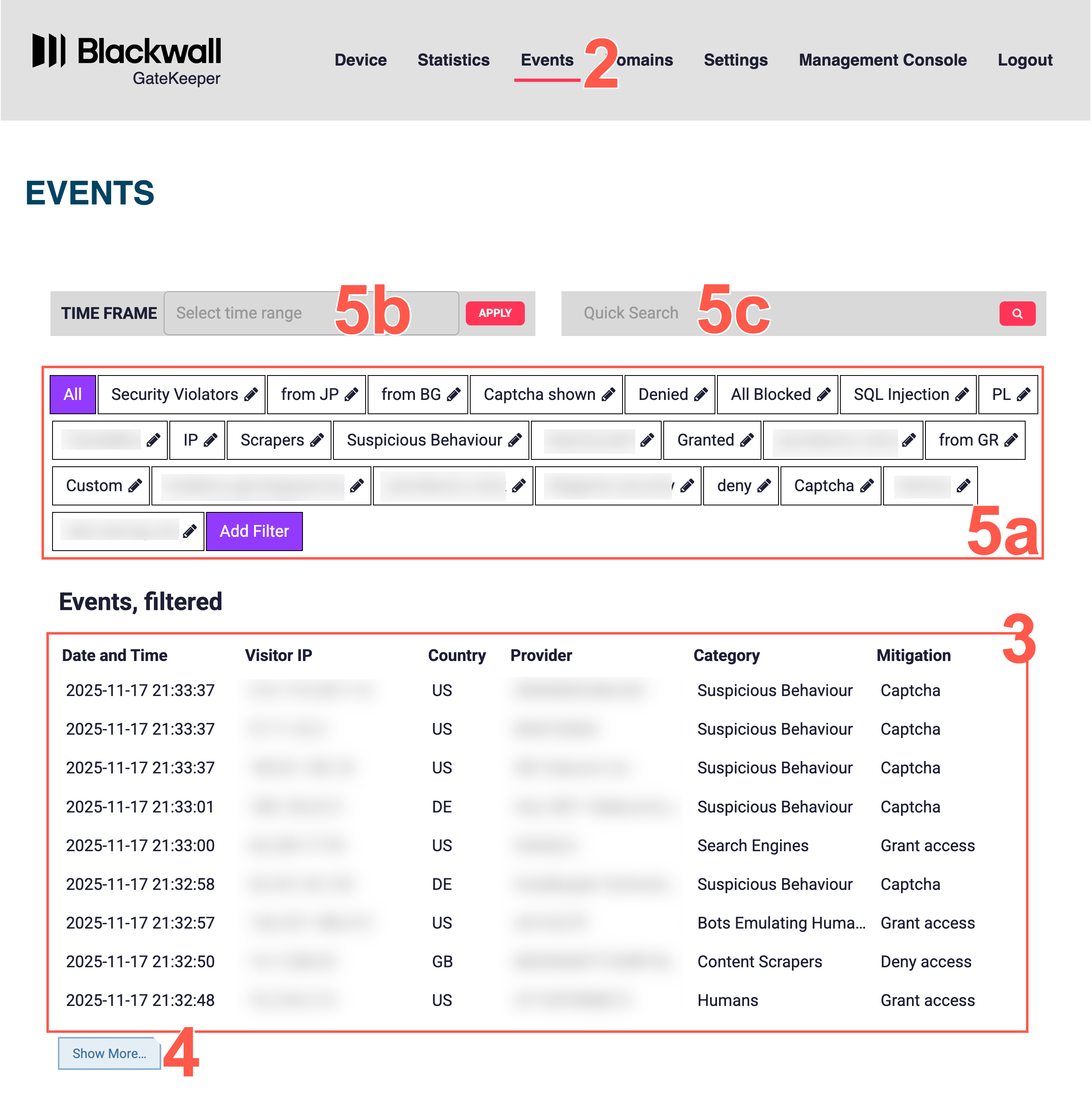
- View all traffic events in the table.
- Click the Show more button at the bottom of the table, to display additional events.
- Optionally, use one of the following filtering methods to filter the results in the table:
- Click one of your previously created filters, or add a new filter by clicking Add Filter.
- Click the date filter field to filter by a date/time range:
- Optionaly, from the date/time filter window's sidebar, select a default time frame period.
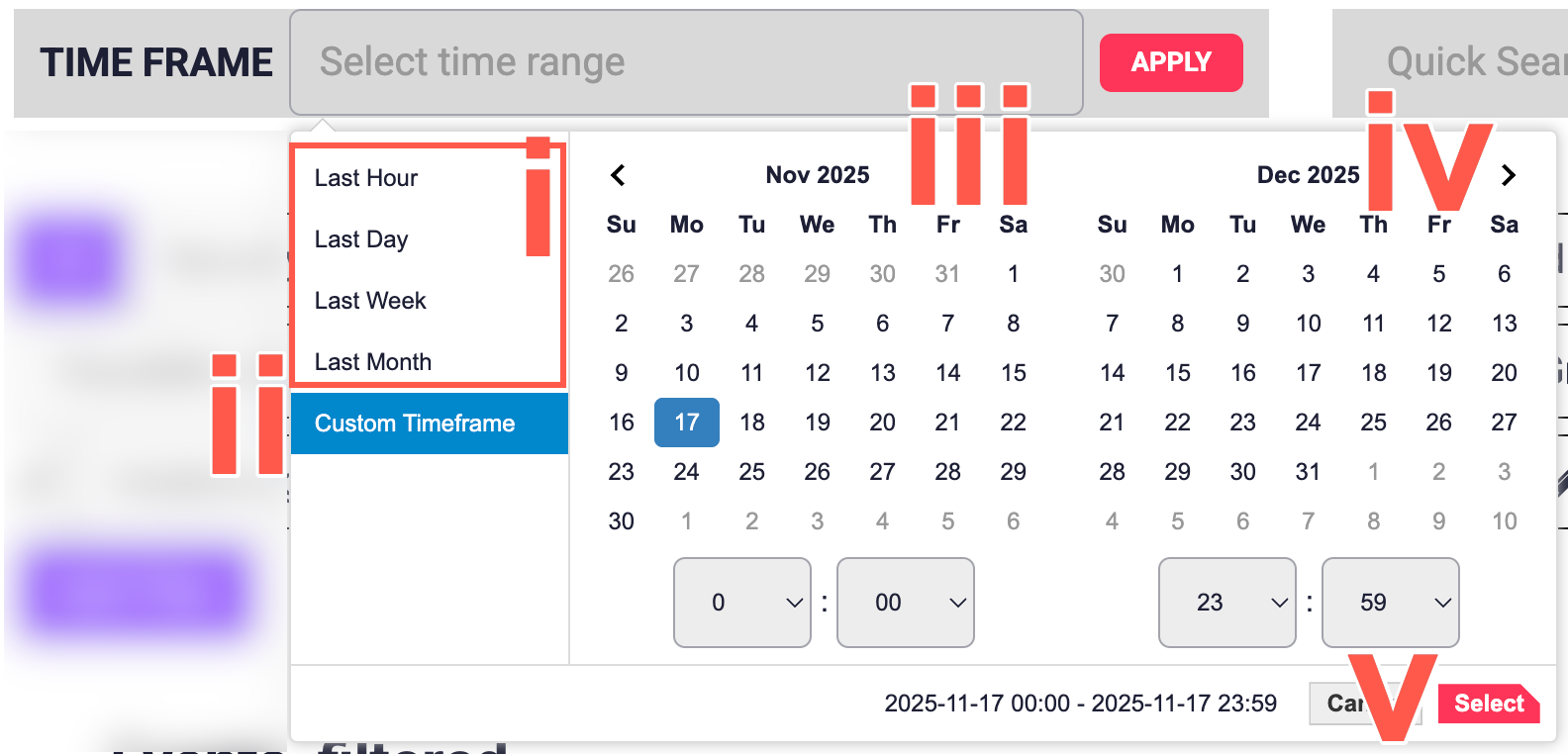
- Alternatively, create your own bespoke time period filter, by clicking Custom Timeframe in the sidebar.
- On the date selector calendar select a start date. Then using the associated time dropdown fields, select the desired start time on the date already selected.
- On the date selector calendar select an end date. Then using the associated time dropdown fields, select the desired start time on the date already selected.
- Click Apply to apply the desired date range filter.
- Optionaly, from the date/time filter window's sidebar, select a default time frame period.
- Use the Quick Search field to search for specific words to filter your results by.